


Box build assembly usually becomes visible at the wrong moment.
The PCBAs are tested, the enclosure looks approved, and the cable samples are already on the table. Then someone asks, "So when can we ship finished units?"
That question often exposes the real issue.
Box build assembly is not just the final step after PCB Assembly. It is the point where electrical design, mechanical fit, wiring, firmware, testing, labeling, packaging, and delivery expectations meet in one physical product.
If those details are not prepared before the build starts, the assembly line becomes a place for discovering missing information. That is slow, expensive, and usually avoidable.
A PCBA can pass its board-level test and still fail as part of a finished product. The harness may press against a heatsink. The enclosure may not close cleanly. A connector may sit slightly off from the panel opening. A firmware version may not match the test procedure. A label may be placed where it cannot be scanned after installation.
These are common handoff problems when a project moves from board-level assembly to product-level integration.
For OEM buyers, the useful question is not only:
"Can this supplier do box build assembly?"
The better question is:
"Have we prepared enough information for the EMS partner to assemble, test, label, pack, and repeat this product without guessing?"
That is where a successful box build project begins.
Box Build Starts with a Clear Product Boundary
The first preparation step is not a file.
It is a decision.
What exactly should the EMS partner deliver?
For one project, box build assembly may mean installing a tested PCBA into a simple housing. For another, it may include wire harness assembly, display installation, power supply integration, firmware programming, final functional testing, serial number labeling, accessory kitting, packaging, and shipment preparation.
Both are box build projects, but they are not the same production scope.
OEM buyers should define whether the supplier is expected to deliver:
- a PCBA mounted inside an enclosure
- a semi-finished module with cables and connectors
- a complete device ready for customer-side installation
- a product loaded with firmware, BIOS settings, or a software image
- a kit that includes accessories, brackets, adapters, or user documents
- a fully labeled and packed unit ready for shipment
This sounds basic, but it prevents a lot of confusion.
"Final assembly" can mean different things to different teams. If the buyer means a ready-to-ship product and the supplier understands only "install the board into the box," the project will run into quotation gaps, missing materials, unclear test responsibility, and late-stage schedule pressure.
A practical box build project should answer three questions early:
What goes inside the product?
What must be tested?
What condition should the finished unit be in when it leaves the factory?
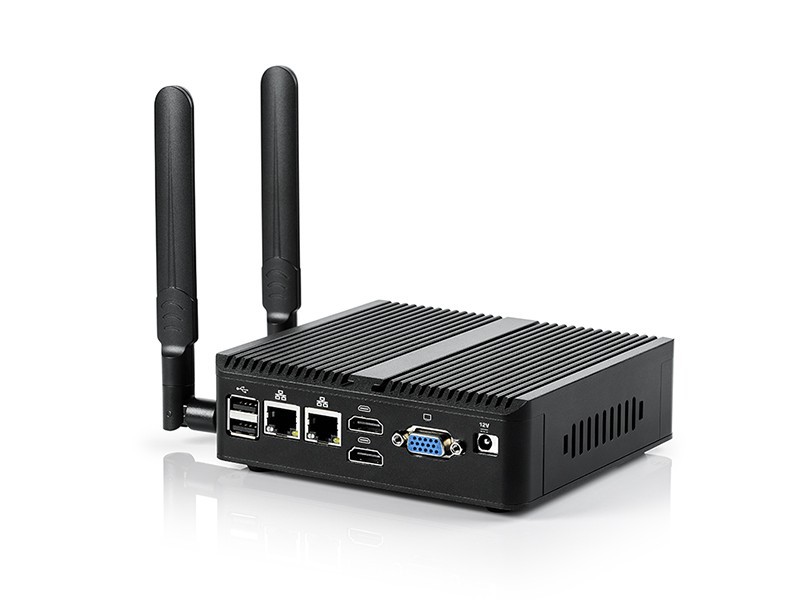
The BOM Must Expand Beyond Electronic Components
A normal PCBA BOM focuses on electronic parts: ICs, passives, connectors, the PCB, and assembly materials.
A box build BOM has a wider footprint.
It needs to include every item required to create the final deliverable, including mechanical, wiring, cosmetic, packaging, and accessory items.
That may include:
- enclosure parts
- screws, washers, standoffs, inserts, rivets, clips, or adhesives
- wire harnesses and cable assemblies
- power supplies or adapters
- switches, buttons, indicators, displays, or HMI parts
- thermal pads, heatsinks, gaskets, shielding materials, or EMI-related parts
- labels, overlays, rating labels or nameplates, serial number labels, and carton labels
- foam inserts, ESD-safe packaging, cartons, user documents, and accessories
A low-cost missing fastener can stop a line just as effectively as a missing IC.
This is why the BOM for box build assembly should be treated as an electro-mechanical BOM, not just an electronics purchasing list.
The buyer also needs to clarify which parts are supplied by the customer and which parts should be sourced by the EMS partner. If the project uses customer-supplied enclosures, proprietary displays, special cables, or approved packaging materials, the quantity, delivery date, acceptance criteria, and responsibility boundary should be documented.
A box build line does not stop only because the PCB is late.
It can stop because the label roll is missing, the cable length is wrong, the foam insert is not approved, or the screw type was never specified.
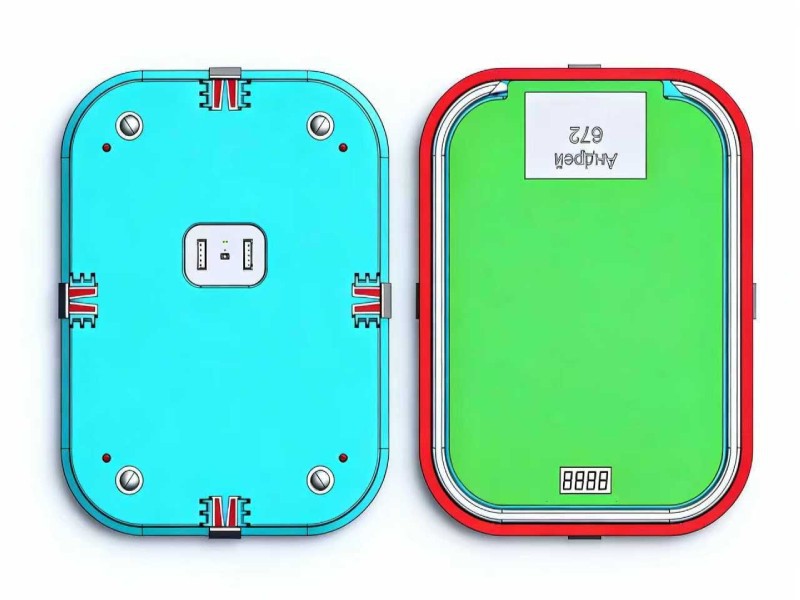
Mechanical Data Should Support Assembly, Not Just Design Review
A 3D rendering can make a product look finished.
It does not always tell the factory how to build it.
For box build assembly, mechanical data should help the EMS team verify fit, sequence, access, clearance, and repeatability.
A useful mechanical package may include:
- 2D enclosure drawings
- 3D STEP or equivalent files where available
- mounting hole locations
- I/O panel drawings
- critical dimensions and tolerances
- keep-out zones
- screw specifications
- torque requirements where needed
- component height restrictions
- gasket, adhesive, or sealing requirements if applicable
- thermal pad or heatsink locations
- cosmetic surface requirements
The goal is to avoid discovering mechanical problems on the line.
A connector may be correctly placed on the PCB but misaligned with the enclosure opening. A tall capacitor may interfere with an internal rib. A screw boss may sit too close to a solder joint. A thermal pad may be specified but fail to contact the housing consistently. A cable may fit before the lid is closed but become pinched after final assembly.
None of these are soldering defects.
But they can delay shipment.
For box build assembly, mechanical fit should be treated as a production input, not a late-stage review topic.
Wiring and Harness Rules Need to Be Written Down
Wire harnesses are often underestimated.
They look simple until they are routed inside a real enclosure.
A cable with the correct connector and length can still fail the build if it bends too sharply, crosses a heat source, blocks airflow, pulls on a connector, rubs against a metal edge, or creates inconsistent assembly between operators.
A practical harness package should make these details clear:
- harness drawings
- connector part numbers
- pinout information
- wire gauge and insulation notes where required
- cable length and tolerance
- connector orientation
- routing path
- tie-down or fixing method
- strain relief requirement
- grounding points
- cable labels where needed
- areas where wires must not pass
This is especially important for products with metal housings, high-temperature components, antennas, fans, displays, moving parts, or tight internal space.
A good wiring plan should look almost boring.
That usually means the assembler does not need to improvise.
If the wire route depends on "the operator will know what to do," it is not ready for repeat production.
Firmware, Configuration, and Test Software Are Build Inputs
Many box build projects slow down because the hardware is ready before the configuration package is ready.
The product may be assembled, but it cannot ship because firmware, BIOS settings, OS image, storage configuration, calibration data, or test software is still unclear.
The production package should include:
- firmware file and version
- programming method
- BIOS or configuration settings where applicable
- boot device
- OS or storage image if required
- driver package
- MAC address or serial number recording
- customer application installation if required
- diagnostic software or test script
- retest method after rework
A working engineering sample is not a production process.
If only one engineer knows how to flash the unit, the process is not ready for manufacturing. If the software image is still changing, assembled units may sit waiting. If the test program has no written procedure, different operators may test the same product in different ways.
For box build assembly, firmware and software should be part of the production data package, not something sent after the line is already waiting.
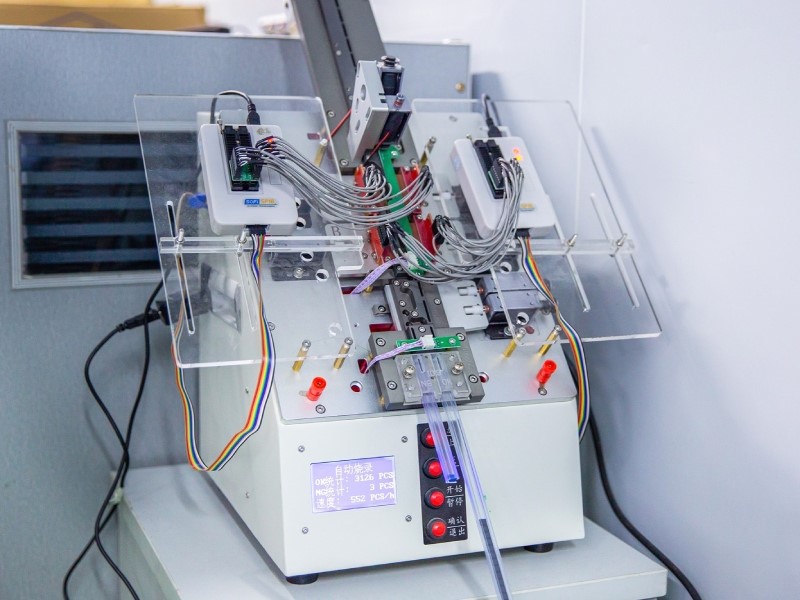
The Test Plan Should Match the Finished Unit
Box build testing is different from PCBA testing.
Board-level testing may verify solder quality, component placement, voltage rails, programming, and basic circuit function.
Box build testing must verify the complete unit as the customer expects to receive it: PCBA installed, cables connected, enclosure assembled, firmware loaded, labels applied, and accessories checked.
The test plan should define what the finished unit must prove before shipment.
Depending on the product, this may include:
- power-on test
- display output
- button and LED behavior
- USB, Ethernet, COM, wireless, or other communication checks
- sensor, relay, motor, or module response where applicable
- firmware version verification
- storage or boot confirmation
- customer application check if available
- safety or visual inspection items where required
- accessory and packing confirmation
- The key point is not to make every test heavy.
The key point is to make the test meaningful.
A simple product may only need basic power-on, visual inspection, and packing confirmation. A more complex industrial device may need fixture-based functional testing, interface checks, firmware verification, configuration records, and final inspection.
The test scope should match the product risk.
A vague instruction such as "test before shipment" is not enough. The EMS team needs a test procedure, pass/fail criteria, required cables, software, fixtures where needed, and a clear rule for what happens when a unit fails.
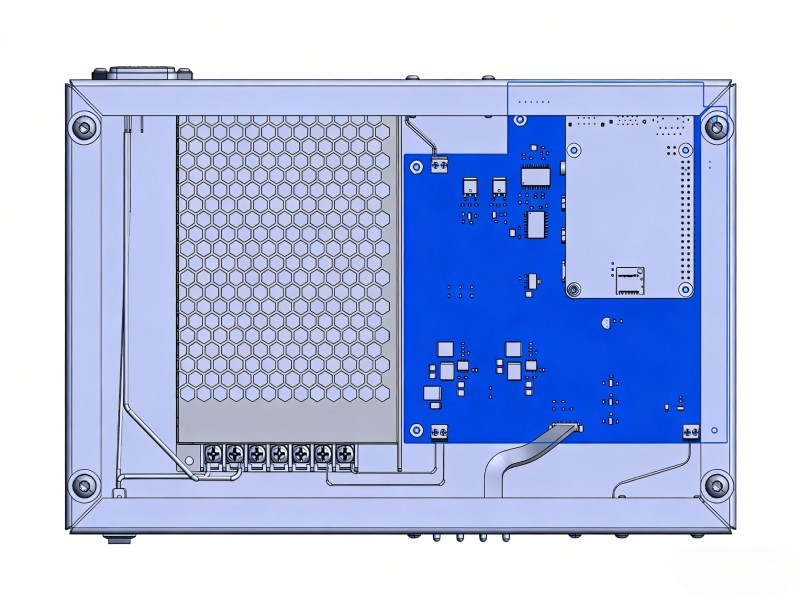
Work Instructions Should Be Useful to the Production Line
Engineering drawings and production work instructions are not the same thing.
Engineers may understand the product from schematics, CAD files, and design notes. Production operators need a repeatable build sequence, visual references, inspection points, and test steps.
A practical box build instruction package may include:
- assembly sequence
- photos or illustrations of correct assembly
- cable routing images
- connector mating order
- torque notes where needed
- adhesive, gasket, or thermal material instructions
- label placement drawings
- test procedure
- visual inspection criteria
- packing instructions
- rework and retest rules
A well-documented build can be repeated across shifts, operators, and batches.
An undocumented build depends on tribal knowledge.
That works until the one person who knows the build is not standing next to the line.
Labeling, Traceability, and Packaging Should Be Approved Before Packing Day
Labels often look like a small detail until the first shipment is ready.
Then they become urgent.
Box build projects may require product labels, serial number labels, MAC address labels, rating labels, warning labels, customer labels, carton labels, or configuration labels.
The label plan should define:
- label content
- label material
- label size
- label position
- barcode or QR code format
- serial number rule
- MAC address rule where applicable
- carton label and shipment label requirements
- whether label data should connect to test records
Traceability should also be defined before there is a problem.
For some projects, traceability may only require batch records and test results. For others, it may include PCBA revision, BOM revision, firmware version, serial number, operator record, rework history, packing record, or component lot information.
Packaging is part of the same handoff.
A finished unit may include the product itself, cables, adapters, brackets, antennas, documents, spare parts, or customer-specific accessories. The packing method should protect exposed ports, enclosure surfaces, connectors, displays, antennas, and other vulnerable parts during shipment.
A product is not truly ready if the customer receives it and has to guess which cable, bracket, label, or accessory belongs with which unit.
Configuration Freeze Does Not Mean No Changes
Box build projects involve more moving parts than board-level PCBA.
That means changes can affect more than one department.
A firmware update may change the test procedure.
An enclosure revision may change screw length or cable routing.
A harness change may affect connector orientation.
A new accessory may change the packing method.
A PCBA revision may affect thermal contact or I/O alignment.
Before pilot build or production, OEM buyers and EMS partners should agree on how changes are handled.
Useful questions include:
- Which revision is being built?
- Who approves mechanical changes?
- Who approves BOM substitutions?
- How are firmware updates recorded?
- When does a change require a new sample review?
- When does a change affect quotation or schedule?
- How are old and new revisions separated?
- How are updated instructions released to production?
Freezing the configuration does not mean the project can never change.
It means changes are controlled, documented, and communicated clearly.
That difference matters.
The problem is not that changes happen. Changes are normal in real projects.
The problem is when changes happen through informal messages, with no record, no approval path, and no updated production instruction.
A Practical Pre-Box Build Package for OEM Buyers
Before requesting box build assembly, OEM buyers should prepare a clear project package.
A useful package may include:
|
Area |
What to Prepare |
|
Product scope |
Delivery form, included parts, excluded parts, final shipment condition |
|
PCBA data |
Gerber or ODB++, BOM, PCBA revision, assembly drawing, test status |
|
Electro-mechanical BOM |
Enclosure, screws, standoffs, labels, cables, accessories, packaging materials |
|
Mechanical data |
Enclosure drawings, 2D drawings, 3D files, mounting points, screw specs |
|
Wire harness |
Cable drawings, pinout, connector type, length, routing path, grounding points |
|
Firmware / software |
Firmware file, version, programming method, BIOS settings, OS image if required |
|
Functional testing |
Test procedure, pass/fail criteria, test tools, fixtures, retest rule |
|
Work instructions |
Assembly sequence, cable routing notes, label placement, inspection points |
|
Labels |
Serial number, MAC address, rating label, customer label, carton label |
|
Packaging |
ESD-safe packaging, foam, carton, accessory checklist, shipment label |
|
Traceability |
Batch record, test record, firmware record, rework and retest record |
|
Change control |
Revision rule, approval process, updated production instructions |
This is not a universal checklist.
Some projects need less. Some need more.
The point is to reduce assumptions before the build starts. The fewer blanks the factory has to fill in, the fewer surprises tend to appear during assembly, testing, and packing.
Where STHL Fits in This Discussion
For OEM buyers preparing box build assembly projects, Shenzhen STHL Technology Co., Ltd. can review the project from a practical EMS manufacturing perspective.
Depending on the project, this may include PCB Assembly handoff review, enclosure and wiring-related assembly notes, functional test preparation, Testing and Inspection planning, labeling, packaging, traceability expectations, and Box Build Assembly support.
The goal is not to make every project complicated.
A simple enclosure assembly should stay simple. But a box build project should not be treated as "just putting a board into a box" if the final delivery depends on wiring, firmware, functional testing, labels, accessories, packaging, and repeatability.
Conclusion
Box build assembly starts before the first unit is assembled.
It starts when the OEM buyer defines the delivery form, confirms the PCBA status, prepares the electro-mechanical BOM, shares mechanical and wiring data, provides firmware and configuration files, defines functional testing, approves labels and packaging, and agrees on change control.
A product can be assembled correctly and still fail the buyer's real requirement if the EMS partner does not know how it should be tested, labeled, packed, traced, or repeated.
For OEM buyers, the practical lesson is simple: prepare the box build package before assembly starts, not while the line is already waiting.
Need support preparing a box build assembly project? Submit your files through Request a Quote or contact STHL directly at info@pcba-china.com.


